Receivables management: process, metrics and tools
Receivables management: set invoice and follow-up rules, read DSO and ageing, and match deposits to open invoices. Use this guide to review your process.

Supreet Gupta, Co-founder
· 7 min read
On this page
- What does receivables management include?
- How does a B2B receivables process work?
- Why do receivables stay open?
- Which metrics show where receivables are stuck?
- What should a receivables policy decide?
- What should receivables management software do?
- Where Sonic fits
- What changes between Indian and US receivables teams?
- What should you check before closing the receivables review?
Receivables management is the work a finance team does to turn issued invoices into cash. It connects agreed payment terms, accurate invoices, open-balance tracking, customer follow-up and cash matching. A reliable process gives each invoice a clear status, supporting evidence and a next owner, so a payment or dispute does not disappear between systems.
What does receivables management include?
Receivables management covers the controls around money customers owe for invoices already sent. That balance is called accounts receivable, or AR. Collections is one part of the process; invoice accuracy, dispute handling and matching deposits also affect whether the open balance is right.
Start with the signed terms and the invoice. The amount, due date and billed entity should agree with what the customer accepted. After sending, keep the invoice status current, record disputes or payment promises, and match incoming cash to the invoice it settles. Those steps give finance a useful view of what remains open and why. For the software shortlist, see the best accounts receivable software for B2B finance teams.
How does a B2B receivables process work?
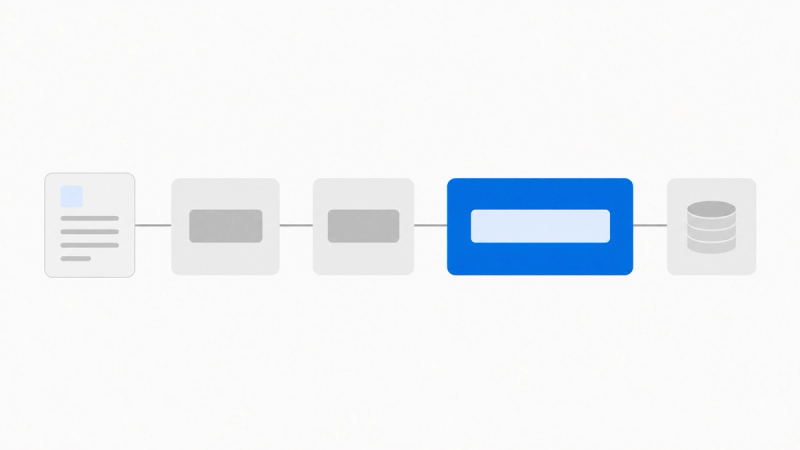
A B2B receivables process moves each invoice from agreed terms to a paid, matched record. Keep the steps in order, but assign an owner at each handoff so the next action is clear.
- Confirm the terms. Check the signed contract or order for price, billing frequency, payment terms and any usage or minimum commitment. Record changes from their effective date.
- Prepare and send the invoice. Verify the billed entity, line items, amount, due date and delivery address. Keep the sent version and its status available to the team.
- Review open invoices. An ageing view groups unpaid invoices by how long they have been open or overdue. Check the underlying invoice and due date before treating a balance as late.
- Resolve exceptions. Record the dispute reason, owner and next review date. If a customer gives a payment date, record it and apply the reminder hold defined by your policy.
- Follow up and match cash. Send reminders according to the agreed cadence. Compare bank deposits with invoice amounts, references and payer details. Put unclear matches in a review queue rather than forcing them.
- Close the record. Once a deposit is matched, update the invoice status and pass the accounting entry to your ERP or accounting system.
A compact control table helps teams handle the handoffs consistently:
| Invoice state | Evidence to check | Next action |
|---|---|---|
| Ready to send | Signed terms, schedule and recipient | Confirm the amount and send the invoice |
| Sent and unpaid | Sent record, due date and open amount | Add it to the ageing review |
| Disputed | Customer message and reason | Assign an owner and agree the next review |
| Payment promised | Recorded date and agreed terms | Hold reminders until the configured date |
| Deposit received | Bank line and remittance details | Match it to the invoice or send it for review |
Record a promise to pay with its date and pause reminders until then. Two cases catch teams out: a balance that looks overdue because the cash arrived but wasn't matched, and an invoice that was never sent, which needs a billing fix before anyone chases it.
Why do receivables stay open?
An open receivable can signal a late invoice, a disputed charge, a missed follow-up or cash that has arrived but has not been matched. Check the record behind the balance before choosing the next action.
| What you see | What to check |
|---|---|
| Invoice is still unpaid, but the customer has not received it | Delivery status, billing contact and invoice address |
| Customer disputes the amount | Contract terms, invoice lines and the person responsible for resolving it |
| Customer says payment was sent | Bank activity, remittance details and payer name |
| The same issue returns on later invoices | The upstream contract, billing schedule or customer record |
These checks separate a collections task from a billing or data problem. A reminder cannot fix a wrong invoice, and an ageing report cannot identify cash that has not been applied to the right customer balance.
Which metrics show where receivables are stuck?
Use a small set of receivables management metrics to locate delays, then inspect the invoices behind them. A single company-wide score can hide whether the issue starts with late invoicing, customer disputes, slow follow-up or unmatched deposits.
| Metric | What it tells you | What to inspect next |
|---|---|---|
| DSO | Average time between credit sales and collection, measured for a chosen period | Payment terms, invoice timing and open balances |
| Ageing of open invoices | How much remains unpaid across age ranges your team defines | The oldest balances, disputes and missing follow-up |
| Cash received but unmatched | Cash in the bank that has not been tied to an invoice | Remittance details, payer names and split payments |
| Collection effectiveness index (CEI) | Share of collectible receivables collected in the period | Disputes and balances with no follow-up |
| Receivables turnover | Net credit sales ÷ average receivables: how many times the balance turns into cash in a period | Credit terms and slow-paying customers |
An unmatched deposit is cash that reached the bank but has not been applied to an invoice. Days sales outstanding (DSO) estimates the average time between credit sales and collection over a chosen period. Calculate it as: DSO = ending accounts receivable ÷ credit sales during the period × days in the period. Ending accounts receivable is the open balance at period end; some teams use the average balance across the period instead, which smooths out a large invoice raised on the last day. Credit sales are invoices raised on credit during that period. Days in the period is the number of calendar days in the selected period.
Example: Orrin Cloud, an invented API company, ends a 90-day quarter with $48,000 in accounts receivable after raising $360,000 in credit invoices. DSO = $48,000 ÷ $360,000 × 90 = 12 days. If Orrin Cloud bills on net 30 terms, a DSO of 12 days says most customers pay well inside terms. One large invoice 60 days overdue can still hide in that average, so read DSO with the ageing report.
The DSO formula guide runs one quarter through the ending, average and countback methods and splits the result into terms and lateness.
What should a receivables policy decide?
A receivables policy should make routine decisions predictable and explain who handles exceptions. Keep the rules close to the contracts and the way your team bills.
- Who can approve payment terms or a change to them?
- What must an invoice contain, and who checks it before sending?
- Who owns a dispute, and how does that person record its reason?
- Which balances get reviewed first, and what information drives that priority?
- When does a payment promise pause reminders, and who checks the promised date?
- Who reviews a bank deposit that cannot be matched with confidence?
A common starting order for the review: the largest balances more than 30 days past due, then disputed invoices, then promises that fall due this week. Risk tags help sort the list, but record the reason behind each tag.
What should receivables management software do?
Receivables management software should connect invoice status, follow-up and the cash application step, which matches deposits to the invoices they settle. Keep those records available to the finance team. The same tools go by several names, including AR management software and, in India, debtors management software. Whatever the label, check whether a tool handles bank matching or stops at reminders. Before choosing a tool, ask whether it can:
- Read the terms that set an invoice amount and due date.
- Keep the sent invoice and its status available to billing and collections.
- Show ageing and give a person a place to review disputes or unusual balances.
- Run reminders from a configured cadence and record a payment promise.
- Match deposits to one or more invoices, with unclear matches routed for review.
- Hand the resulting entries to your ERP or accounting system.
A tool focused only on reminders may leave payment matching elsewhere. A payment portal may make it easier to pay but still leave the finance team to reconcile deposits. Trace how invoice status and cash matching move between tools; feature labels alone do not show the handoffs. For a broader view, see accounts receivable automation.
Where Sonic fits
Sonic is a strong option for B2B teams that bill on usage or complex contracts and want one contract-to-cash process. It reads signed contract PDFs, builds billing schedules with each rule tied to its clause, rates usage against customer pricing, and drafts invoices. Its Collections agent follows up on sent unpaid invoices, while its Bank reconciliation agent matches deposits. Unclear bank matches go to a person for review. Teams that only need consumer payment processing or a general ledger should look elsewhere.
What changes between Indian and US receivables teams?
The work is the same, but the names differ. Indian teams often say debtors or debtors management, and Tally lists customers under Sundry Debtors; US teams say accounts receivable or AR, usually in QuickBooks or NetSuite. Keep the same discipline in each: tie the invoice to its terms, track its status, and match the payment to the right balance.
What should you check before closing the receivables review?
Before closing a review, check each open invoice against its evidence and next action:
- Was the invoice sent, and is its due date correct?
- Does the open amount agree with any recorded payments or credits?
- Is there a dispute or payment promise with an owner and review date?
- Are any deposits still unmatched?
- Does every remaining balance have a next action and a responsible person?
If the evidence is unclear, leave the invoice open for review. Close the review when every remaining balance has evidence, an owner and a next step.
Written by
Supreet Gupta
Co-founder, Sonic AI · LinkedIn
Supreet is a Cofounder at Sonic AI. Before starting Sonic, Supreet was a Product Manager at SaaS Labs (Sequoia funded Series B startup) where he worked with enterprises in US and Europe to deliver communication solutions. He completed his bachelors from IIT Bombay.