Best order to cash software for B2B companies
Order to cash software compared: eight tools grouped as ERP suites or add-ons, which O2C steps each covers, pricing models and a contract to test in demos.

Lokesh Mahala, CEO & Co-founder
· 14 min read
On this page
- The best order to cash software, compared
- How we chose these tools
- Which steps does each tool cover?
- ERP suite or order to cash automation software: which do you need?
- Our top pick: software that starts at the signed contract
- Sonic AI: from the signed contract to matched cash
- ERP suites with order to cash built in
- Oracle NetSuite: orders to cash in one cloud ERP
- SAP S/4HANA Cloud: sales, billing and receivables for SAP companies
- Microsoft Dynamics 365 Finance: credit and collections inside Microsoft's ERP
- Order to cash automation software that sits on top of your ERP
- Emagia: AI agents across credit, collections and cash
- Serrala: AR automation inside or beside SAP
- BlackLine: invoice-to-cash next to the financial close
- Versapay: a customer portal for invoices, disputes and payments
- Test one contract through every tool
- How order to cash software differs for India and US teams
- When order to cash software isn't worth buying yet
- A shortlist checklist before you book demos
The best order to cash software depends on where your process breaks. Our top pick for B2B teams that bill from signed contracts and usage is Sonic AI, which runs from the contract through billing and collections to the matched bank deposit. NetSuite, SAP S/4HANA Cloud and Microsoft Dynamics 365 Finance run orders, invoices and receivables inside the ERP. Emagia, Serrala, BlackLine and Versapay automate credit, collections and cash application on top of an ERP.
Order to cash (O2C) is the chain from an accepted order to cash matched against the invoice it paid. If you want the process before the products, start with what order to cash covers, step by step. This list answers the next question: which software runs which part of it.
The best order to cash software, compared
Eight tools made this list, in three groups: Sonic AI, our top pick, which starts at the signed contract; three ERP suites; and four automation tools that sit on top of an ERP. The table shows who each one suits and how it's priced.
| Tool | Best for | Pricing model |
|---|---|---|
| Sonic AI, our product and top pick | B2B teams billing from signed contracts and usage who want billing, collections and bank matching on one record | Fixed subscription |
| Oracle NetSuite | Growing companies that want orders, billing and receivables in one cloud ERP | Annual licence for the core platform, optional modules and users, plus a one-time implementation fee |
| SAP S/4HANA Cloud | Large companies that run sales, delivery and finance on SAP | Subscription measured in full use equivalents; receivables management is a separate service licensed per user |
| Microsoft Dynamics 365 Finance | Companies on Dynamics 365 that want credit and collections inside the ERP | Per user per month, billed annually |
| Emagia | Enterprises that want AI agents across credit, collections, deductions and cash application | Not published; quote after a demo |
| Serrala | Mid-market and enterprise teams, many on SAP, that want AR automation inside or beside the ERP | Not published; products sold on their own or together |
| BlackLine | Enterprises that want invoice-to-cash on the same platform as their financial close | Not published; quote after a demo |
| Versapay | Suppliers that want customers to view, dispute and pay invoices in one portal | Subscription; quote through sales |
How we chose these tools
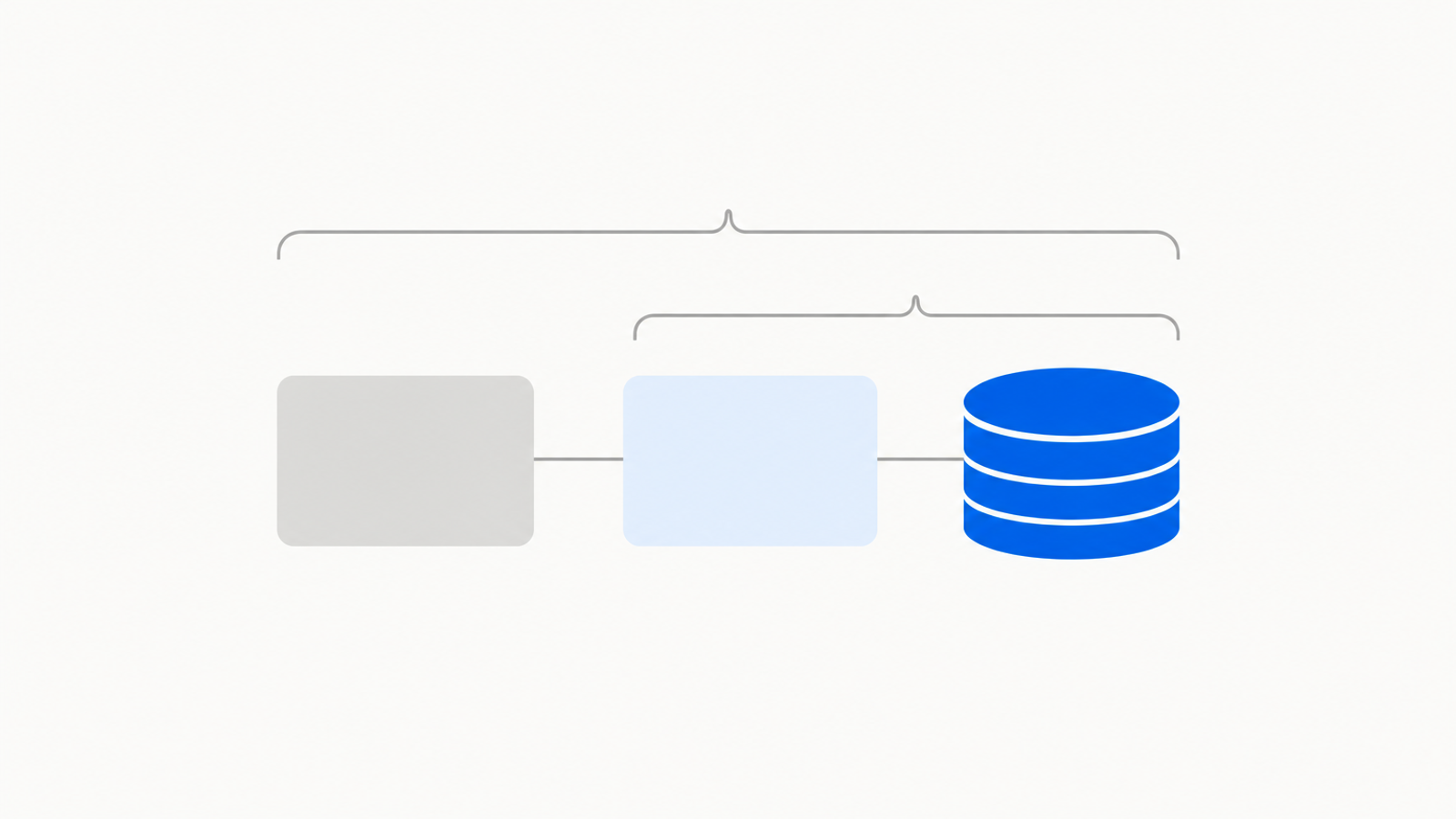
We picked tools a B2B finance team would put on an order to cash shortlist, each covering at least two steps of the process, and grouped them by where they sit. Sonic starts at the signed contract. ERP suites run the order, the invoice and the ledger. Automation tools sit on top of an ERP and take over once an invoice exists.
Each tool below gets the same five points, in this order:
- Where invoices come from: a sales order, a subscription, a signed contract or rated usage.
- Steps covered: the order to cash steps the vendor's own site describes.
- Best for: the team it suits.
- Pricing model: the model only, never the amounts.
- Drawback: the main limit for a B2B team, especially one with contract or usage billing.
Every fact comes from the vendor's own website or documentation, checked on 16 November 2026. We didn't test the products hands-on. HighRadius, Billtrust and Esker also sell order to cash suites; they're reviewed in our accounts receivable software list, so we don't repeat them here. Tools that mainly chase unpaid invoices are in the collections software list.
Which steps does each tool cover?
No tool on this list covers every order to cash step. Sonic runs from the contract through billing to cash matching. The ERP suites hold the order and the invoice, and the automation tools pick up after the invoice. The table shows what each vendor's own site says it does.
| Tool | Orders | Invoices | Collections | Cash application | Disputes |
|---|---|---|---|---|---|
| Sonic AI | Starts from the signed contract | From signed contracts and rated usage | Yes | Bank deposits matched to invoices | Replies kept in the follow-up history on the invoice |
| NetSuite | Sales orders | From orders; SuiteBilling for subscriptions and usage | Dunning Letters SuiteApp | Automated Cash Application | Not described |
| SAP S/4HANA Cloud | Sales orders and contracts | Sales billing and solution billing | Receivables management service | Not described on the pages we read | Receivables management service |
| Dynamics 365 Finance | With Supply Chain Management | From sales orders, free text invoices and subscription billing | Collections workspace | Customer payments and settlement | Disputed invoices tab |
| Emagia | Order agent | Billing agent | Yes | Yes | Deductions |
| Serrala | From your ERP | E-invoicing | Yes | Yes | Yes |
| BlackLine | From your ERP | E-invoicing and delivery tracking | Yes | Yes | Yes |
| Versapay | From your ERP | Invoice presentment | Yes | Yes | Through the customer portal |
Read the Invoices column first. If your invoice amounts come from negotiated contracts, minimums or usage, every tool marked "From your ERP" depends on the ERP getting the invoice right before it starts work.
ERP suite or order to cash automation software: which do you need?
Start with an ERP suite when orders, stock or delivery drive your invoices, because the order, the shipment and the invoice then live in one system. Add order to cash automation software on top when the ERP already produces correct invoices and the work piles up after the invoice, mostly in collections and cash application.
Order to cash automation means software doing the routine steps a person does today: turning an order or contract into an invoice, sending reminders on schedule, matching deposits to invoices and handing the exceptions to someone. Most of the time goes on those exceptions. According to Atradius's 2026 report on B2B payment practices in the US, late payments affect an average of 22% of B2B receivables, and slow internal approval processes are a common reason B2B customers pay late.
A third group starts earlier. When invoices come from negotiated contracts with ramps, minimums or usage, the invoice itself is often the weak point, and a tool on top of the ERP can only chase what the ERP produced. That's the contract-to-cash case.
| Your main problem | Start with |
|---|---|
| Orders, delivery and invoices live in different systems | An ERP suite |
| Invoices are right, but cash comes in late or unmatched | An automation tool on top of your ERP |
| Invoices are wrong because contract terms or usage don't reach billing | Contract-to-cash software |
Our top pick: software that starts at the signed contract
Contract-to-cash software starts before the invoice exists. It reads the signed agreement, builds the billing schedule and rates usage, then follows the invoice until the cash is matched. Look here when invoices go out wrong or late because contract terms don't reach billing intact, the gap contract-to-cash software was built to close.
Sonic AI: from the signed contract to matched cash
Where invoices come from: the signed contract and your usage data. Sonic's Contract agent reads a signed contract PDF into a billing schedule, with each price, minimum, discount and escalation tied to the clause it came from. The Billing engine rates usage from your database or a file upload and drafts invoices with the usage rows behind the lines.
Steps covered: billing, collections, cash application and reporting. The Collections agent follows up on sent, unpaid invoices by email, and WhatsApp where connected, on a cadence set once; it holds on a promise to pay and stops when payment lands. The Bank reconciliation agent matches deposits to invoices and queues partial, short and unclear payments for a person. Reports cover ageing, collections, unbilled revenue and revenue.
Best for: B2B SaaS, usage-based, API and AI companies in India and the US whose invoices come from negotiated contracts, minimums, seats or usage.
Pricing model: fixed subscription.
Why it's our top pick: most order to cash tools start once an invoice exists, so a wrong invoice stays wrong all the way to cash. Sonic starts at the contract, so the invoice is right before collections and matching begin.
To see Sonic run one of your own contracts, book a demo.
ERP suites with order to cash built in
ERP suites run order to cash inside the system that also holds your general ledger, so an invoice posts to the books without a hand-off between tools. The trade-off is that each step works the way the ERP was designed, and negotiated contract or usage terms usually need an add-on module or extra setup.
Oracle NetSuite: orders to cash in one cloud ERP
Where invoices come from: sales orders, which NetSuite's help centre describes as being converted into an invoice or cash sale when billed. SuiteBilling, an add-on module, creates subscriptions and rates usage, including tier minimums, maximums and included usage.
Steps covered: order management, invoicing, dunning letters through a SuiteApp, automated cash application that generates customer payments from bank data and applies them to open invoices, and revenue recognition for SuiteBilling.
Best for: growing companies, including software businesses, that want orders, billing and receivables in one cloud ERP.
Pricing model: an annual licence made up of the core platform, optional modules and the number of users, plus a one-time implementation fee.
Drawback: NetSuite's help centre says SuiteBilling isn't for the sale of physical inventory items, so a company selling goods and subscriptions runs two billing paths. Each negotiated deal still has to be set up as subscription plans, price books and change orders before it bills.
SAP S/4HANA Cloud: sales, billing and receivables for SAP companies
Where invoices come from: sales orders, sales contracts and solution orders. SAP's service description for S/4HANA Cloud lists sales quotation management, sales contract management, sales order management, sales billing and solution billing among its capabilities.
Steps covered: quotes, orders, delivery and billing in the ERP. Credit, collections and dispute management come with SAP S/4HANA Cloud for receivables management, which SAP sells as a separate cloud service.
Best for: large companies that already run sales, delivery and finance on SAP and want receivables work in the same system.
Pricing model: a subscription measured in full use equivalents, which convert advanced, core and self-service users into one count. The receivables management service is licensed per user.
Drawback: credit, collections and disputes sit in a separate service with its own licence, so the full order to cash scope costs more than the ERP subscription alone. It assumes you run SAP.
Microsoft Dynamics 365 Finance: credit and collections inside Microsoft's ERP
Where invoices come from: sales orders, or free text invoices raised without an order. Microsoft's order to cash guidance spans Dynamics 365 Finance and Dynamics 365 Supply Chain Management, and Finance lists subscription billing for complex billing and pricing.
Steps covered: invoicing, credit notes, subscription billing, revenue recognition, customer payments and settlement, and credit and collections. A collections coordinator workspace shows each customer's open transactions, disputed invoices, promises to pay and unsettled payments, and can draft a reminder email with AI.
Best for: companies already on Dynamics 365 that want collections work inside the ERP.
Pricing model: per user per month, billed annually, in two tiers: Finance and Finance Premium.
Drawback: order to cash spans two Dynamics 365 apps, so check whether your process needs Supply Chain Management as well before you price it. Collections works from posted invoices, so a contract term set up wrong reaches the customer before the workspace sees it.
Order to cash automation software that sits on top of your ERP
Order to cash automation tools take invoices and payments from your ERP and automate what happens after the invoice. They help most when the ERP gets the invoice right and the backlog is in getting paid.
Emagia: AI agents across credit, collections and cash
Where invoices come from: your ERP. Emagia names JD Edwards, SAP, Oracle, NetSuite, PeopleSoft and Microsoft Dynamics. Its site lists an order agent and a billing agent but doesn't describe reading contracts or rating usage.
Steps covered: order management, credit risk with digital credit applications, collections with automated dunning and an AI outbound calling agent, deductions, cash application from invoices, remittances and lockbox files, a customer payments portal and cash forecasting.
Best for: enterprises and shared services teams in industries such as consumer goods, manufacturing, logistics, telecom and healthcare.
Pricing model: not published; the site offers a demo.
Drawback: it's built for enterprise receivables, with deductions and lockbox handling that a software company paid by bank transfer may not need, and invoice amounts still depend on the ERP.
Serrala: AR automation inside or beside SAP
Where invoices come from: your ERP. Serrala names SAP, NetSuite, Dynamics 365, IFS, Sage, Infor and Epicor, and offers its AR products in the cloud, embedded in SAP, or both.
Steps covered: credit and risk, collections with AI-driven prioritisation, cash application, disputes and deductions, a customer portal where customers view, question and pay invoices, and e-invoicing. Payments and treasury are separate Serrala products.
Best for: mid-market and enterprise finance teams, especially those that want the automation embedded in SAP.
Pricing model: not published; Serrala says its products are available on their own and asks buyers to contact it.
Drawback: its site describes the work after an invoice exists, not billing, so invoice amounts still come from the ERP. Payments and treasury are separate purchases.
BlackLine: invoice-to-cash next to the financial close
Where invoices come from: your ERP. BlackLine tracks invoices from creation to delivery and handles e-invoicing rules through a built-in Avalara integration that it says covers more than 30 countries.
Steps covered: e-invoicing and a payments portal, customer onboarding with credit and risk checks, cash application, collections with an AI agent that can run collections calls, disputes and deductions, and AR reporting. It sits on the same platform as BlackLine's close, reconciliation and journal entry products.
Best for: enterprises that already use BlackLine for the close, or want AR and the close on one platform.
Pricing model: not published; the site offers a demo.
Drawback: BlackLine calls the process invoice-to-cash, and it starts at the invoice. Contract terms, usage and the invoice amount come from your ERP or billing system.
Versapay: a customer portal for invoices, disputes and payments
Where invoices come from: your ERP. Versapay names NetSuite, Sage Intacct and Dynamics 365, and connects to other ERPs through open APIs or flat files.
Steps covered: electronic invoice presentment and payment, collections that prioritise high-risk accounts, cash application that matches payments to open invoices, a customer portal where customers pay and resolve disputes, and B2B payments by ACH, card or inside the ERP.
Best for: mid-market and enterprise suppliers in manufacturing, wholesale distribution and professional services that want customers to pay and raise disputes online.
Pricing model: a subscription, which Versapay says it packages for mid-market teams.
Drawback: its strength is the payment and portal side. If most of your customers pay by bank transfer and never log in to a portal, much of that goes unused, and the invoice still comes from the ERP.
Test one contract through every tool
The quickest way to compare order to cash software is to push one awkward contract through each demo and check the numbers. Use invented data, and give every vendor the same file.
Example: Halden Voice, an invented voice AI company, signs a 12-month contract with a customer:
- A platform fee of $2,500 a month, including 40,000 minutes.
- 20% off the platform fee for the first three months.
- $0.05 for each minute above 40,000.
- Net 30 terms, paid by bank transfer.
In month 2 the customer uses 52,000 minutes. The invoice should be:
- Platform fee: $2,500 × (1 − 0.20) = $2,000.
- Overage: (52,000 − 40,000) × $0.05 = 12,000 × $0.05 = $600.
- Total: $2,000 + $600 = $2,600, due 30 days after the invoice date.
The customer pays $2,575, because its bank took a $25 fee. In month 4 it uses 38,000 minutes, so that invoice is $2,500: the discount has ended and usage stayed inside the 40,000 included minutes.
Ask each vendor to show:
- Where the 20% discount and its end date are stored, and who keys them in.
- The month 2 invoice at $2,600, with the 12,000 minutes behind the overage line.
- The reminder schedule on the open invoice, and what stops it.
- The $2,575 deposit matched to the invoice, with the $25 left open as a partial payment for a person to clear or write off.
- The month 4 invoice at $2,500, with no discount and no overage.
- The entry that reaches your ERP or accounting system.
In an ERP suite, steps 1, 2 and 5 depend on someone setting the contract up as a subscription with a discount schedule. An automation tool on top of the ERP starts at step 3, with whatever invoice the ERP produced. A vendor that can't show step 4 leaves you clearing short payments by hand, which is how teams end up chasing customers who already paid.
How order to cash software differs for India and US teams
Indian teams need order to cash software that fits GST e-invoicing. US teams need it to fit state sales tax and an e-invoicing network that businesses opt into. Late payment is common in both markets, so test collections and cash matching hard either way.
India. According to the GST Council's notification 10/2023-Central Tax, e-invoicing applies from 1 August 2023 to taxpayers whose aggregate turnover exceeds ₹5 crore. Above that line, a B2B invoice gets its Invoice Reference Number (IRN) from the Invoice Registration Portal before you send it, so ask whether a tool requests the IRN itself or leaves it to your ERP or tax software.
According to Atradius's 2025 report on B2B payment practices in India, overdue invoices affect an average 63% of credit-based B2B sales. Many Indian teams close their books in Tally, so check how invoices and payments reach it.
US. There's no federal e-invoicing rule for B2B invoices. According to the Federal Reserve's e-invoicing page, an e-invoice exchange framework governed by the Digital Business Networks Alliance is available to all businesses through their service providers. Sales tax is set state by state, so ask whether a tool calculates it or takes it from a tax engine, and how it hands records to QuickBooks or NetSuite.
This is general information. Confirm the GST and sales tax treatment for your business with your tax adviser.
When order to cash software isn't worth buying yet
Dedicated order to cash software isn't worth it while your accounting system handles the invoice volume and one person can chase and match payments in a few hours a week. Below that point, a second system adds a sync to maintain and another place for numbers to disagree.
- Your invoices are simple: fixed monthly fees, no usage, few disputes, and payments that arrive with the invoice number in the reference. Your accounting system and a reminder rule are enough.
- You're already moving to NetSuite, SAP or Dynamics 365 this year. See what their order to cash modules cover before you buy a tool to sit on top.
- You sell goods with complex fulfilment. Order capture, stock and shipping belong in the ERP, and standalone AR tools don't replace them.
- Deals are priced inconsistently. Fix quoting and approvals first, since every later step inherits the price.
A shortlist checklist before you book demos
Write down answers to these before you book demos, then run the Halden Voice test on the two or three tools that fit.
- Where do our invoice amounts come from today: orders, subscriptions, contracts or usage?
- Which step loses the most time: billing, collections, disputes or matching deposits?
- Which ERP or accounting system stays the book of record, and what has to flow back to it?
- Do we need credit checks and deductions, or mainly reminders and matching?
- In India, does the tool request the IRN, or does our ERP? In the US, where does sales tax come from?
- How does a person review an exception, such as a short payment or a disputed line?
Written by
Lokesh Mahala
CEO & Co-founder, Sonic AI · LinkedIn
Lokesh is the Cofounder & CEO of Sonic AI. Before starting Sonic, Lokesh was an engineer at Stripe for 4 years building Stripe's Revenue and Finance Automation suite. He was a founding engineer at Recko (acquired by Stripe in 2021) where he built reconciliation solutions for B2C companies. He completed his bachelors from IIT Roorkee.